
Sage
Sage: Tax Codes
Sage Tax Codes
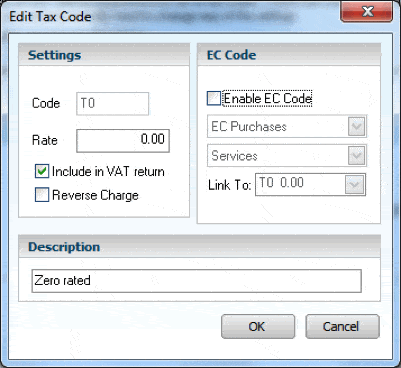
On installation of the programme, tax codes are set by default. These can be easily edited in the configuration area. Settings / Configuration / Tax codes Using the edit any tax code rates or description can be changed.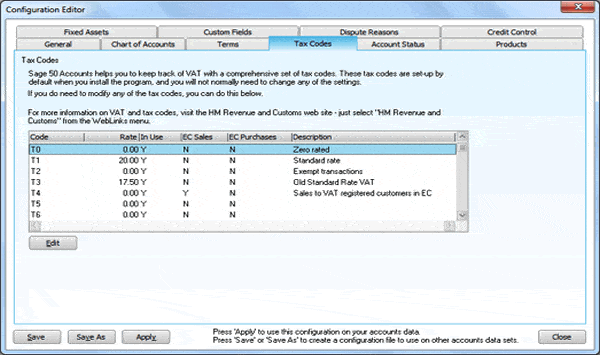 On editing by ticking the boxes (as shown below) sage has the ability to include the tax code in the EC listings or reverse charge.
 Below is a full list of Sage default tax codes. There are 99 codes available.
|
T0 |
Zero rated transactions. |
|
T1 |
Standard rated transactions - Currently 20% |
|
T2 |
Exempt transactions. |
|
T4 |
Sale of goods to customers in the EC. |
|
T5 |
Lower rated transactions - Currently 5%. |
|
T7 |
Zero rated purchases from suppliers in EC. |
|
T8 |
Standard rated purchases from suppliers in EC. |
|
T9 |
Transactions not involving VAT. Note: This is the default non-vatable tax code. Any transactions posted with this tax code do not appear on your VAT Return. |
|
T20 |
Sale or purchase of items that fall under the remit of carousel fraud. For example, mobile phones. |
|
T22 |
Sale of services to customers in the EC. |
|
T23 |
Purchase of zero rated or exempt services from suppliers in the EC. |
|
T24 |
Purchase of standard rated services from suppliers in the EC. |
|
T25 - Sage Accounts 2011 and above |
Purchase or sale of capital items, where the purchase amount is more than £2,000 inclusive of VAT. Note: This is for the UK Flat Rate scheme only. |
Comments
Be the first to leave a comment.
Leave a comment