
Controls in IT systems

1 Introduction
IT poses particular risks to organisations’ internal control and information systems. This can lead to their operations being severely disrupted and subsequently to lost sales, increased costs, incorrect decisions and reputational damage.
2 Risks include:
Reliance on systems or programs that are inaccurately processing data, processing inaccurate data so that they report inaccurate, misleading results.
Unauthorised access to data leading to destruction of data, improper changes to data, or inaccurate recording of transactions.
Particular risks may arise where multiple users access a common database on which everyone in the organisation relies. The data could be incorrectly amended and all users will be affected.
The possibility of IT personnel gaining access privileges beyond those necessary to perform their assigned duties.
Unauthorised changes to data in master files. For example, changing a selling price or credit limit.
Unauthorised changes to systems or programs so that they no longer operate correctly and reliably.
Failure to make necessary changes to systems or programs to keep them up-to-date and in line with legal and business requirements.
Potential loss of data or inability to access data as required. This could prevent, for example, the processing of internet sales, or checking in airline passengers.
3 Controls in computer systems can be categorised as general controls and application controls.
General controls:
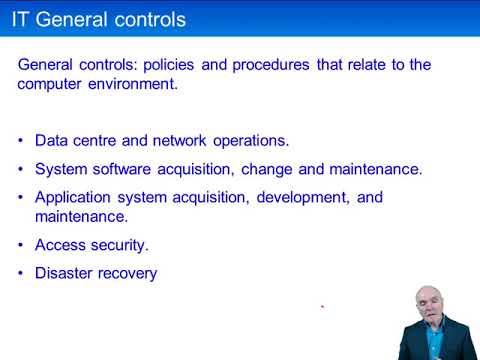
These are policies and procedures that relate to the computer environment and which are therefore relevant to all applications. They support the effective functioning of application controls by helping to ensure the continued proper operation of information systems. General IT controls that maintain the integrity of information and security of data commonly include controls over the following:
Data centre and network operations. A data centre is a central repository of data and it is important that controls there include back-up procedures, anti-virus software and firewalls to prevent hackers gaining access. Organisations should also have disaster recovery plans in place to minimise damage caused by events such as floods, fire and terrorist activities.
System software acquisition, change and maintenance. System software refers to operating systems, such as Windows or Apple’s OS. These systems often undergo updates as problems and vulnerabilities are identified and it is important for updates to be implemented promptly.
Application system acquisition, development, and maintenance. Applications systems are programs that carry out specific operations needed by the company – such as calculating wages and invoices and forecasting inventory usage. Just as much damage can be done by the incorrect operation of software as by inputting incorrect data. For example, think of the damage that could be done if sales analyses were incorrectly calculated and presented. Management could be led to withdraw products that are in fact very popular. All software amendments must be carefully specified and tested before implementation.
Access security. Physical access to file servers should be carefully controlled. This is where the company keeps it data and it is essential that this is safeguarded: data will usually endow companies with competitive advantage. Access to processing should also be restricted, typically through the use of log-on procedures and passwords.
4 Application controls:
Application controls are manual or automated procedures that typically operate at a business process level, such as the processing of sales orders, wages and payments to suppliers.
These controls help ensure that transactions are authorised, and are completely and accurately recorded, processed and reported. Examples include:
Edit checks of input data. For example, range tests can be applied to reject data outside an allowed range; format checks ensure that data is input in the correct format (credit card numbers should be 16 digits long; dependency checks where one piece of data implies something about another (you have probably had a travel booking rejected because you inadvertently had a return date earlier than the outward date); check digits, where a number, such as an account number, is specially constructed to comply with mathematical rules.
Numerical sequence checks to ensure that all accountable documents have been processed.
Drop down menus which constrain choices and ensure only allowable entries can be made.
Batch total checks.
On-line, real time systems can pose particular risks because any number of employees could be authorised to process certain transactions. Anonymity raises the prospect of both carelessness and fraud so it is important to be able to trace all transactions to their originator. This can be done by tagging each transactions with the identity of the person responsible.
Cyber-espionage is also a growing threat. Governments, competitors and criminals attempt to steal intellectual property or information about customers and contracts. Quite obviously the theft of valuable know-how will undermine a company’s competitive advantage and it is essential that for organisations to defend themselves as far as possible against these threats.
5 Disaster planning
There is, of course, a risk that the entire computer system is destroyed: fire, flood, terrorist incident etc.
Companies which rely on computing to carry on their business (airlines, Amazon.com, financial institutions etc) should have a disaster recovery plan in place.
This usually means having a back-up system, running in parallel to the main system and which can carry on processing seamlessly if the main computer is damaged. The back-up system should be located well away from the main computer - preferably in another town or even another country - and should have an independent power supply.
The recovery plan should cover:
Minimisation of physical risks
Contingency planning: standby procedures, recovery procedures, personnel management
Define responsibilities (there could well be a state of panic just after the disaster)
Risk assessment
Prioritisation of the processing that must be available first
Back-ups of data
Communication with staff
Public relations
Business continuity planning
Hardware duplication